PNG vs JPG: Which Image Format Should You Use and When?
PNG vs JPG difference — this guide compares both image formats on quality, file size, and transparency so you always choose the right one for every situation.
PNG vs JPG is one of the most common questions in digital design and web publishing. Both formats are everywhere — but they serve very different purposes. Choose the wrong one and you’ll either end up with a bloated file that slows your website, or a blurry image that looks unprofessional. This guide explains the PNG vs JPG difference clearly, with practical rules for every situation.
What Is PNG?
PNG (Portable Network Graphics) is an image format that uses lossless compression — meaning every pixel of the original image is preserved exactly when the file is saved. No data is discarded, no quality is lost.
Every pixel is preserved exactly. You can save and re-save a PNG file indefinitely without any quality loss.
PNG supports full alpha channel transparency — logos, icons, and graphics can have transparent backgrounds that work on any colored surface.
PNG handles hard edges, text, and flat color areas perfectly — no blurring or compression artifacts around sharp lines.
Because no data is discarded, PNG files are significantly larger than JPG for the same image — especially for photographs.
What Is JPG?
JPG (also written JPEG) uses lossy compression — it permanently removes some image data to reduce file size. The removed data is carefully chosen to minimize visible quality loss, but the change is irreversible once saved.
JPG photos are typically 3–10x smaller than the same image as PNG. This makes JPG essential for web performance and storage efficiency.
The lossy compression in JPG is optimized for photographic content — gradients, skin tones, and complex color transitions look great at small file sizes.
JPG is supported by every device, browser, app, and platform without exception — the most universally compatible image format.
JPG does not support transparent backgrounds. Saving a logo or icon as JPG will give it a white (or colored) background.
Every time you save a JPG, more data is discarded. Editing and re-saving JPG files multiple times visibly reduces quality over time.
PNG vs JPG: Full Comparison
Here’s every relevant difference between PNG and JPG side by side:
| Feature | PNG | JPG |
|---|---|---|
| Compression type | Lossless | Lossy |
| Quality after saving | ✔ No quality loss | ⚠ Slight loss per save |
| Transparency support | ✔ Full alpha channel | ✗ Not supported |
| File size (photos) | ✗ Large | ✔ Small (3–10x smaller) |
| File size (graphics/logos) | ✔ Small to medium | ✗ Often larger with artifacts |
| Sharp edges & text | ✔ Perfect | ⚠ Can show artifacts |
| Best for photos | Not ideal | ✔ Yes |
| Best for logos & icons | ✔ Yes | Not ideal |
| Web performance | Slower (larger files) | ✔ Faster loading |
| Print quality | ✔ Excellent | ✔ Good at high quality |
When to Use PNG
PNG is the right choice whenever image quality or transparency matters more than file size:
Logos and brand assets
Logos need transparency and sharp edges. PNG preserves both perfectly — use it for any logo that will appear on different colored backgrounds.
Screenshots
Screenshots contain sharp text and UI elements. PNG keeps them crisp — JPG blurs text and creates visible artifacts around interface elements.
Icons and illustrations
Flat-color graphics, icons, and illustrations with hard edges look significantly better as PNG than JPG.
Charts and diagrams
Text labels in charts must be sharp. PNG keeps them readable — JPG makes them fuzzy at normal viewing sizes.
Images being edited
If you’ll edit an image multiple times, keep it as PNG during the editing process to avoid cumulative quality loss from re-saving.
High-quality print assets
For print materials where you need pixel-perfect output, PNG ensures no compression artifacts appear at high resolution.
When to Use JPG
JPG is the right choice whenever file size matters and the image contains photographic or complex color content:
Photographs
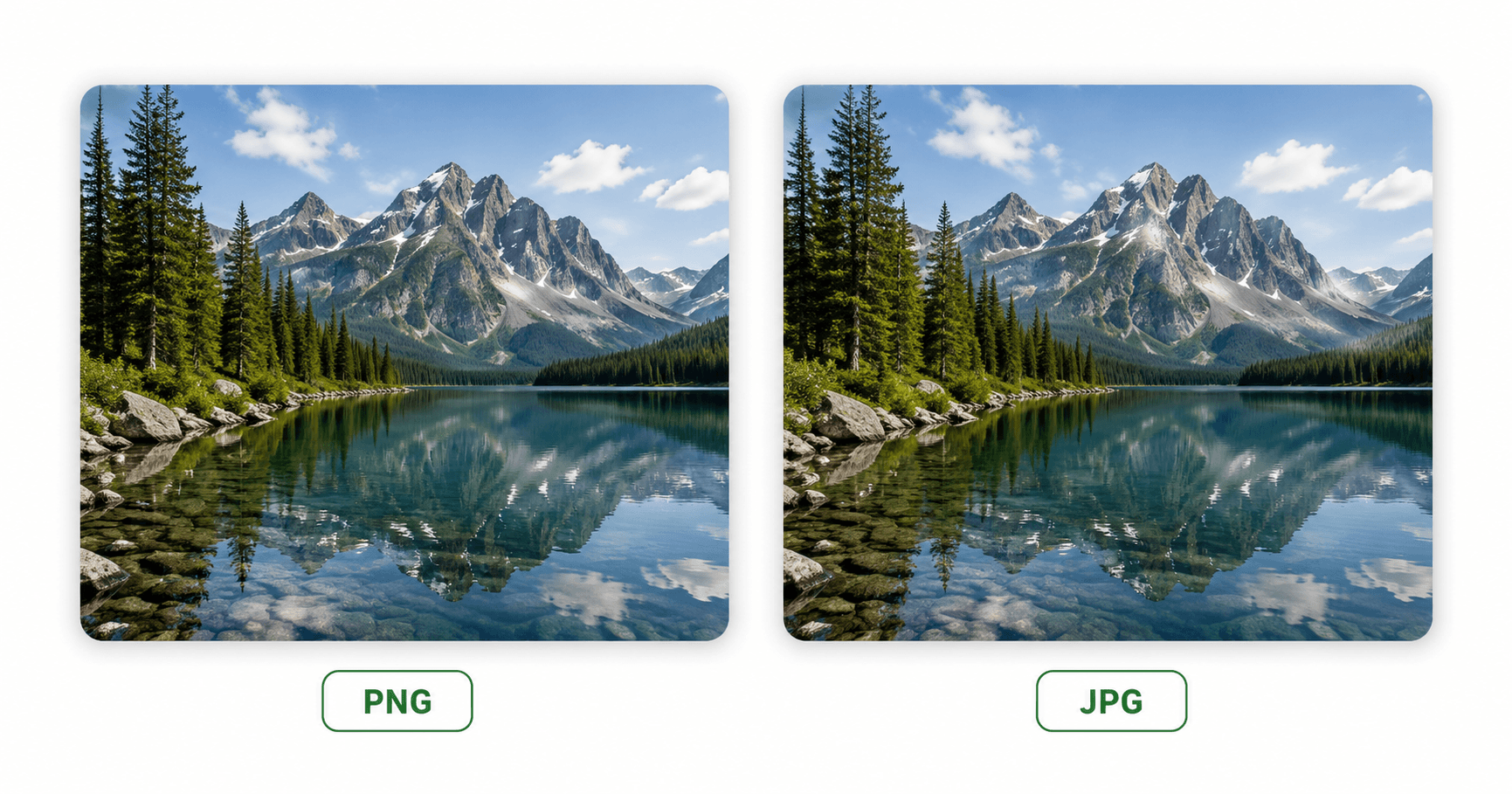
Photos contain millions of color gradations that JPG compresses efficiently. A high-quality JPG photo is visually identical to PNG at a fraction of the file size.
Website images
For hero images, blog post photos, and background images, JPG loads faster and improves Core Web Vitals scores — directly affecting SEO.
Social media photos
Most social platforms recompress images anyway. Starting with a good JPG reduces upload time and storage without visible quality loss.
Email images
Smaller file sizes mean faster email loading and lower chances of hitting attachment size limits.
Large photo libraries
Storing thousands of photos as PNG would require significantly more storage. JPG keeps libraries manageable without noticeable quality loss.
Display ads and banners
Ad platforms often have strict file size limits. JPG keeps photographic ad creatives within limits without reducing visual quality.
Need to convert between PNG and JPG?
🖼️ Convert Images Free — PNG ↔ JPG No sign-up · Browser-based · Works on any deviceHow to Convert PNG to JPG (and Back) for Free
Sometimes you have a PNG that needs to be JPG — or vice versa. The fastest way to convert between formats is to use a free online image converter. Here’s how:
Open the free Image Converter
Go to WebToolsStack’s free Image Converter. No account or installation required.
Upload your image
Click to upload your PNG or JPG file. The converter works entirely in your browser — your image is not sent to any server.
Select the output format
Choose JPG if you’re converting from PNG, or PNG if converting from JPG. WebP is also available as an output option.
Convert and download
Click Convert and download your converted image instantly. The process takes seconds regardless of image size.
Where WebP and AVIF Fit In
PNG and JPG are not the only options any more, and for anything published on the web they are often no longer the best ones. Two newer formats cover the same jobs with noticeably smaller files.
| Format | Size vs the classic format | Browser support |
|---|---|---|
| WebP | 25–35% smaller than JPG at similar quality. Lossless WebP is about 26% smaller than PNG. | Every current browser |
| AVIF | Around 50% smaller than JPG — roughly double WebP’s saving on the same set of images. | About 95% of global traffic (Chrome 85+, Firefox 93+, Safari 16.4+, Edge 121+) |
Both formats support transparency and animation, so between them they cover everything PNG, JPG and GIF do.
AVIF has one practical drawback worth knowing: it does not support progressive rendering, so the file has to download completely before anything appears. On a slow connection a large AVIF shows nothing and then everything at once, while a progressive JPG fills in gradually.
A practical rule. If the image is going on a website you control, serve AVIF or WebP with a
PNG or JPG fallback through the <picture> element. If it is going to be emailed, printed,
uploaded to a platform you do not control, or opened by someone else in whatever software they happen to
have, stay with PNG or JPG. Universal compatibility still beats a smaller file.
Frequently Asked Questions
What is the main difference between PNG and JPG?
PNG uses lossless compression — every pixel is preserved exactly. JPG uses lossy compression — it reduces file size by permanently discarding some image data. PNG is better for logos, screenshots, and graphics. JPG is better for photographs.
Which is better quality — PNG or JPG?
PNG is technically higher quality because it’s lossless. However, for photographs a high-quality JPG is visually indistinguishable from PNG at a fraction of the file size. PNG’s quality advantage is most visible with text, logos, and graphics with hard edges.
Does PNG support transparency?
Yes. PNG supports full alpha channel transparency — areas can be partially or fully transparent. JPG does not support transparency at all. Any transparent area in a JPG becomes white (or the background color).
Should I save photos as PNG or JPG?
Save photos as JPG. A high-quality JPG is typically 3–10x smaller than the same photo as PNG with no visible quality difference. Use PNG for logos, icons, screenshots, and any image with text or hard edges.
Can I convert PNG to JPG without losing quality?
Converting PNG to JPG always involves some quality loss (because JPG is lossy), but at high quality settings the difference is invisible to the human eye for photographic content. For logos and graphics with text, the quality difference is noticeable — keep those as PNG. Use our free image converter to convert between formats.
The Simple Rule to Remember
When in doubt: PNG for graphics, JPG for photos. PNG preserves every pixel and supports transparency — use it for logos, icons, and screenshots. JPG compresses photos efficiently without visible quality loss — use it for any photographic content on the web.
And if you need to switch between the two formats, our free converter handles it in seconds.
Convert PNG to JPG — Free & Instant
Browser-based · No upload to servers · No account · Any device
🖼️ Convert Images Now — Free